solocook.
Est. 2026 · For one · Sometimes two

I built an app because every recipe serves four.

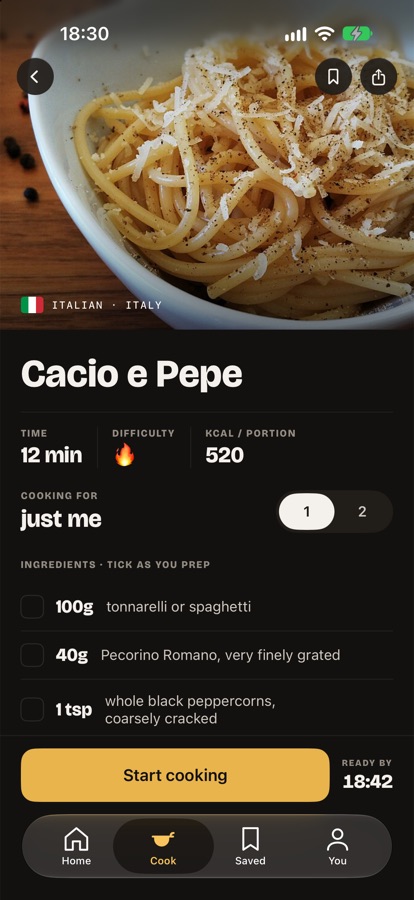
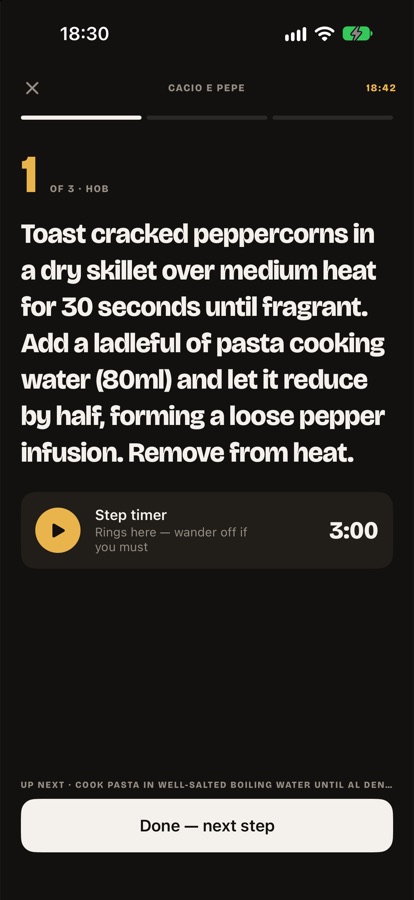
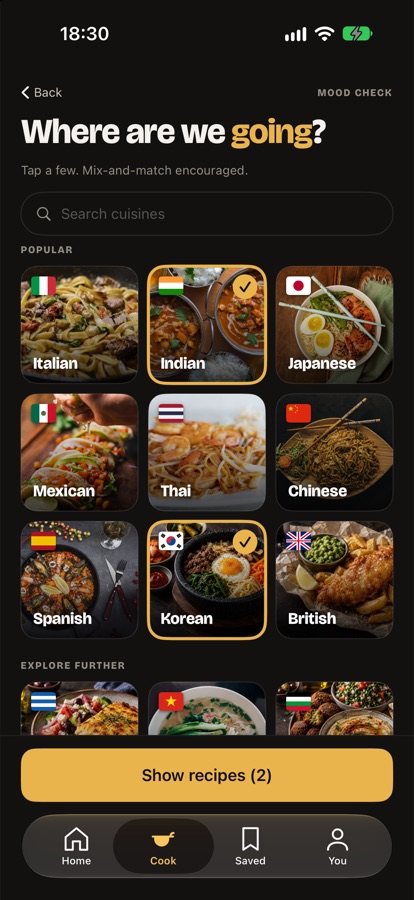
SoloCook asks what's actually in your fridge, then shows you what you can cook tonight — scaled for one person, and running entirely on your phone. This is the story of how it got made.

Download on theApp Store Coming soon toGoogle Play
01 — Where it started

Nobody's short of recipes. They're short of one that fits.

Cooking for yourself means doing arithmetic before you're allowed to start. Halve this, quarter that, then work out what to do with the other three portions of something you've already gone off. Every recipe app quietly assumes there are four of you.

What struck me is that the failure isn't appetite, and it isn't skill. It's friction. Deciding what to cook, checking whether you've got the things, scaling it down, accepting you'll eat it again tomorrow — none of it is hard, and all of it is enough to make you open a delivery app instead.

The delivery apps have no such problem. They know what you want, they remember your address, and they'll take somewhere north of £200 a month for it. A decent week of cooking for yourself costs about £30. The maths isn't close — the friction is just all on the wrong side. So I stopped asking "what should I cook?" and started asking "what can I cook, right now, with what's already in the fridge?"

WHY IT FAILS

Recipe sites

Built for a household. Serves four, and expects a shop before you begin.

WHY IT FAILS

Meal-prep apps

Solve the wrong week. You cook once on Sunday and eat the same thing five times.

WHY IT FAILS

Saving recipes

A folder of things you'll never make, because none of them match tonight's fridge.

02 — Sketching the solution

Start from the fridge, not from the recipe.

Once it was a friction problem rather than a discovery problem, the shape of the answer came quickly. I worked through it in a few moves.

01

Invert the search

Don't ask what someone wants to eat. Ask what they already own, and work backwards to the things that are actually cookable tonight.

02

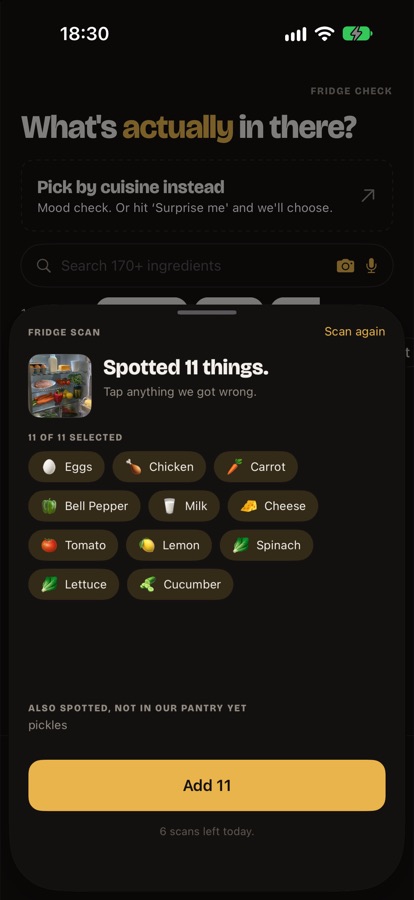
Make the pantry tappable, not typed

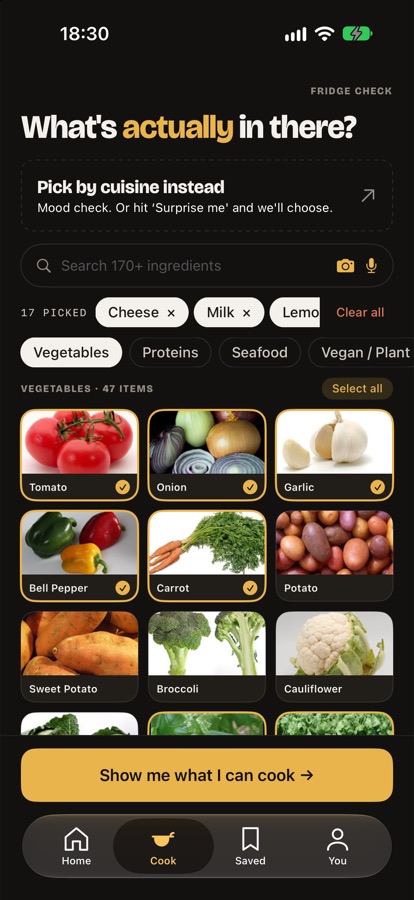
A grid of ingredients you tap once, kept as state. Typing out a shopping list every time is exactly the friction the app exists to remove.

03

Filter by what you can cook with

A hob and a kettle produce a different list to an air fryer and an oven. Appliances turned out to matter as much as ingredients.

04

Say what's missing, don't hide it

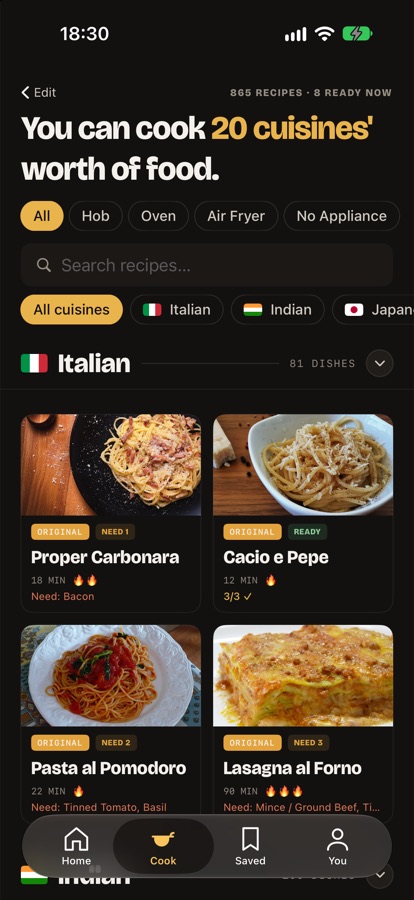
Anything you're one ingredient short of gets flagged rather than dropped — so you know what to pick up on the way home.

05

Design the empty fridge, not just the full one

This was the real lesson. A well-stocked kitchen is the easy case. Most of the design effort went into what the app says when there's barely anything in.

Ready to cook

You have everything. Start now, no shop required.

One short

Missing a single thing, and the app names it.

Thin pickings

Enough to cook, but a staple or two would unlock far more.

Nothing in

Said plainly, with the two items that would fix it.

03 — Building it

I vibe coded the whole thing.

I designed SoloCook and then built it conversationally — describing what I wanted, reading every diff that came back, running it on a real device, and correcting course. Two native apps rather than one cross-platform compromise.

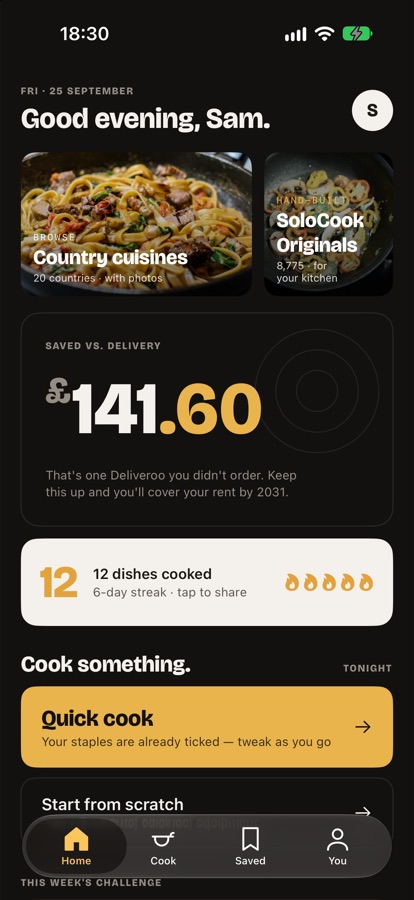
That turned out to be a design constraint rather than a shortcut. Because a working screen took minutes, I ended up designing in the running app instead of in a static mockup — which is how the awkward states got caught. What the home screen says before you've cooked anything. What results look like with four ingredients ticked. What happens when an image fails to load.

It's also perfectly happy to hand you something that compiles, looks right and is quietly wrong. So the discipline isn't in the writing, it's in deciding what to check. The ingredient matcher got a test harness before it got an interface, and the harness caught two real bugs on its first run. A navigation change got driven on an actual emulator rather than reasoned about.

SwiftUI Jetpack Compose Swift Kotlin Cloudflare Workers Workers KV UserDefaults SharedPreferences On-device speech Wikipedia TheMealDB
HOW IT RUNS

Everything on the phone

Your pantry, bookmarks, streak and saved money live in the operating system's own key-value store. No account, no sign-in, no sync — delete the app and it all goes with it.

HOW IT RUNS

One worker, one job

A single Cloudflare Worker turns a recipe name into a photograph — Wikipedia first, then a stock search, cached for a month. So each dish costs one lookup, ever.

04 — The result

Two screens from a fridge to dinner.

Tap what you've got. Get the things you can actually cook tonight.

SoloCook's ingredient picker: a search field above a grid of tappable ingredient tiles, with tomato, onion and garlic selected.
PickSearch knows “eggplant” means aubergine, and that “brocoli” was a typo.
SoloCook's results screen: recipes grouped by cuisine, each card badged with cooking time and whether it is ready to cook.
CookGrouped by cuisine, badged with time, and honest about what's missing.
17,369Recipes
20Cuisines
178Ingredients
2Native apps
0Accounts
0Trackers
05 — Being straight about it

What's built, and what I haven't proven yet.

Built and working

Not claimed

I'd rather show a real product with honest gaps than invent a results slide.

solocook.

Dinner, for one.

Free. No account. Nothing leaves your phone.

Download on theApp Store Coming soon toGoogle Play